
Plugins
CD Welcome Coupon
A newsletter with double opt-in: the person confirms by email and only then gets their welcome coupon.
- Version
- 2.3.3
- WordPress · PHP
- Works with WordPress 5.8 or later and PHP 7.4 or later.
The problem it fixes
Almost everyone who subscribes to a newsletter does it in a hurry. Some mistype the address; some sign up just to see what happens. If the coupon goes out on the spot, it is handed to someone who never confirmed anything.
The welcome coupon also leaks: someone posts it in a forum and it ends up used by somebody else. A discount meant for one person pays for another person’s order.
And when someone asks what they agreed to and when, you need dates, not memory.
What it does exactly
- The sign-up form lives on your own site: it calls your endpoint (/wp-json/cd-welcome-coupon/v1/subscribe), which requires a shared secret in the header.
- A confirmation email sent from your site, with a one-time link and a random token that expires after the number of days you set (7 by default).
- The contact stays “pending” in Brevo and only moves to the subscribers list when the link is opened. Brevo is optional: with no API key the flow still works.
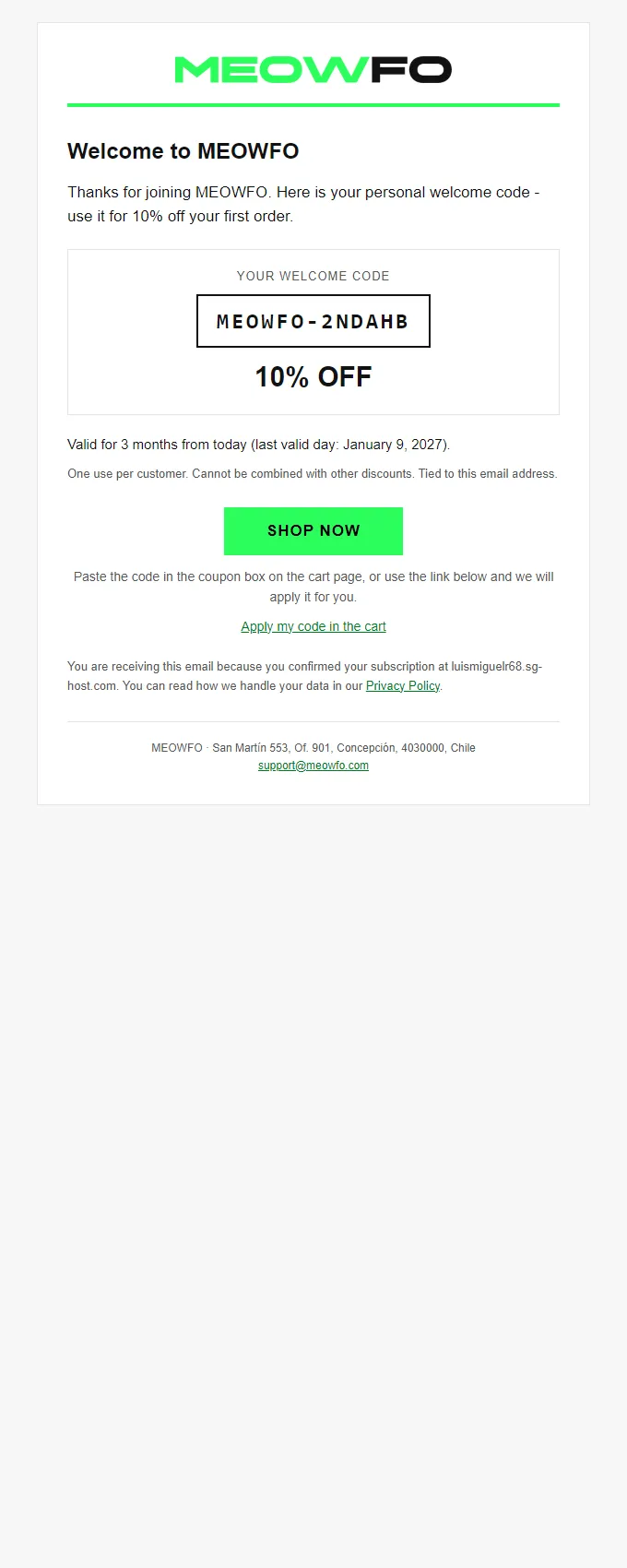
- On confirmation the personal coupon is created, the welcome email with the code is sent, and a thank-you page with a copy button is shown (not indexed).
- The coupon is a percentage (10% by default, configurable), single use, one use per person, tied to the confirmed email, not stackable, no minimum spend, valid for 3 months and first order only; sale items are excluded.
- A consent record: sign-up and confirmation date and time, the origin IP of each step and the token used (stored as a SHA-256 hash, never in the clear). Readable on screen and downloadable as CSV.
- One settings screen: endpoint and secret, Brevo key with a test button, lists, link validity, sender, both email texts, the record, the latest calls and rejected confirmation links.
- The old /welcome webhook is kept for installations already using it, and a clean uninstall is optional.
How it looks
Install and activate the licence
-
Upload the plugin
In the WordPress dashboard: Plugins → Add New → Upload Plugin. Pick the ZIP you received, install it and activate it.
-
Paste your key
Open the plugin’s “Licence” tab and paste the key that arrived by email. The settings screens stay open without a licence, precisely so you can paste it.
-
Press “Activate”
The plugin checks the key against the server and shows you the expiry date and the domain it is tied to. From that moment it works.
The licence is yearly and per domain
Twelve months from issue, one domain at a time. If you move to a new site, release the domain in your panel and paste the same key on the new one: the expiry date does not change. Development domains (localhost, *.local, *.test, *.ddev.site and similar) validate without using up the activation, so you can test without tying the key.
Price and renewal
Yearly subscription, 12 months
€69
Renewing adds twelve months to the expiry date you already have, and you do it yourself from the panel: there is no automatic charge. You get an email reminder first.
Already have it? Go to the panel and renew from there.
The pack
Or all eleven in the pack
The full pack carries this plugin and the other ten for 20% less than the sum of the individual prices. Each one with its own key.
20% off the sum of all eleven bought separately.
See the pack →Plugins
Frequently asked questions
Can I move it to another site?
Yes. Release the domain in your panel and paste the same key on the new site. The expiry date does not restart: you keep the time it had left, and if you get it wrong you can release it again and go back.
What happens if I do not renew?
The plugin stops doing its job, but nothing breaks: the site keeps running, your settings are still saved, and a notice with the renewal link appears in the WordPress dashboard. The day you renew, it works again.
How many domains can I have?
One per licence. If you want the same plugin on two sites you need two licences; the pack also gives one key per plugin, not one key for everything.
Can I try it first?
There is no trial version and no free period. Before you buy, this page tells you what it does and what it does not; if you still have a specific question, write to [email protected] and we will answer it, no strings attached.
Plugins
The other plugins
If this one helps, take a look at the rest: they were built for the same kind of site and they work well together.